Stop Work (Blocking System) in PipeCloud
The Challenge: Design sends word that Rev. C of a pipeline is coming. The spools are already split across cutting, fitting and welding queues, and some are on the shop floor right now. If the message reaches only the office, someone will finish a spool that has to be scrapped or rebuilt. PipeCloud’s stop work blocks the affected spools in every phase at once, shows everyone why, and keeps a record until the work is released.
How it works
- Select the affected spools. Pick one spool or hundreds from the spools list, using filters such as pipeline, drawing, order or project.
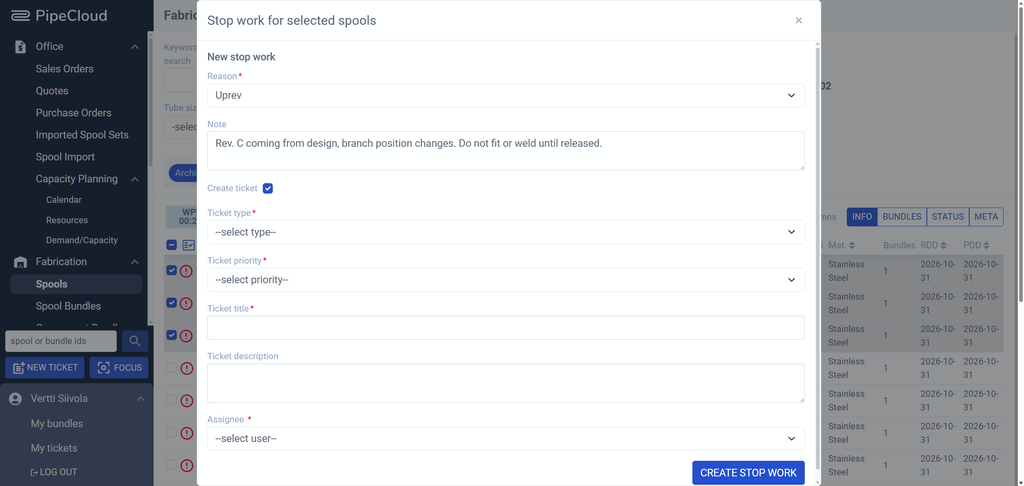
- Choose a reason and add a note. Hold, Uprev, Obsolete or Other. Administrators manage the reason list, so it matches your own vocabulary.
- Optionally open a ticket. The same dialog can create a linked ticket with type, priority and assignee, so the person who must resolve the hold is notified at once.
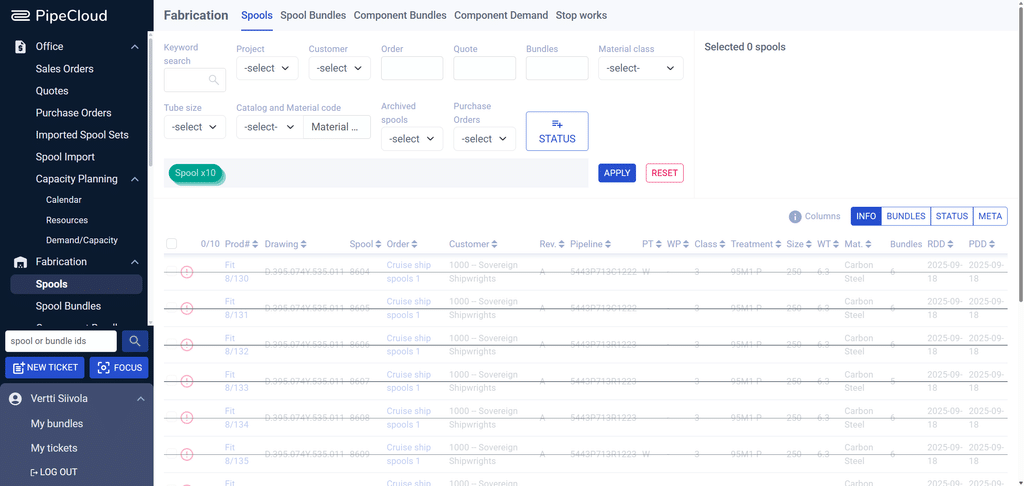
- Production sees the block everywhere. Stopped spools are blocked from further work and shown struck through in spool lists and bundles. Related components in component picking bundles are stopped too.
- Release when ready. When the new revision arrives, the stop work is toggled off and the spools continue where they left off. Every stop work keeps its own log.
What a stop work records
| Reason | Hold · Uprev · Obsolete · Other (list managed by administrators) |
| Context | Note explaining the hold · linked ticket (optional) |
| Scope | The spools affected, across all of their phases · related components in component picking bundles |
| Accountability | Created by · created at · change log for each stop work |
Example: a revision is coming
- Notice received. Design announces that branch positions on a pipeline will change in Rev. C.
- Spools blocked. The production planner filters the spools on that pipeline, creates a stop work with the reason Uprev, and opens a ticket for the design coordinator.
- Nobody builds the old revision. Fitters and welders see the spools struck through in their bundles and move to other work.
- Work released. When Rev. C is imported, the planner releases the stop work and the spools continue through production.
Visible in every view
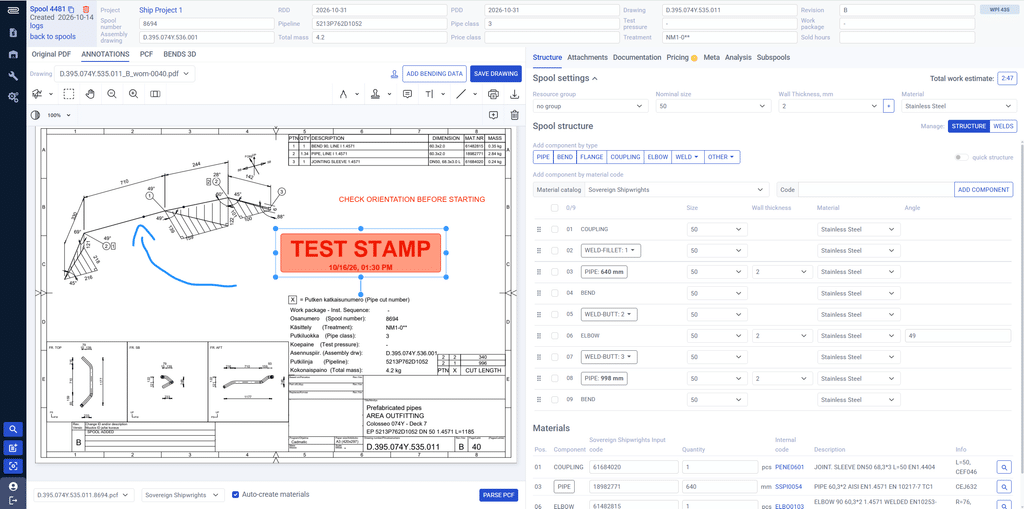
A stopped spool is not hidden in a note field. It is marked in the spools list, in its bundles and in the spool view, with the reason one click away. This matters because a single spool can sit in five or more work-phase bundles at once, such as cutting, fitting, welding, QC and surface treatment. One stop work covers all of them.
One list of everything on hold
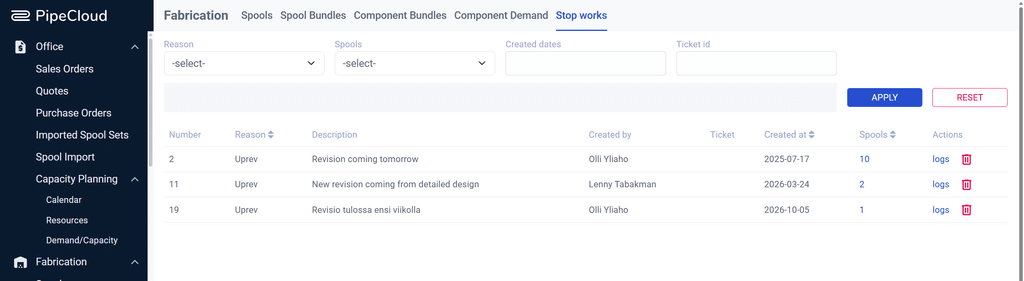
The Stop works view lists every active hold with its reason, note, creator, linked ticket, date and the number of spools affected. It can be filtered by reason, date and ticket, and exported. From the list, managers open the affected spools or the log of each stop work.
Why it matters
Rework caused by building to an outdated revision is one of the most avoidable costs in pipe prefabrication. It rarely comes from bad intent: the information simply does not reach the person holding the spool. A digital block that travels with the spool, through every phase and every work queue, closes that gap.
A record of every hold also answers the questions that come later: how long spools were held, why, and who released them.
Where PipeCloud fits
Stop work is part of PipeCloud’s production control, together with bundles, tickets and capacity planning. Tickets handle questions and problems that need an answer. Stop work handles spools that must not move forward until the answer arrives.
Ready to see it in action?
See how a revision notice turns into a hold across your whole production in a few clicks.