The Challenge: When weld data lives in paper logs, spreadsheets and separate QA records, finding the root cause of a defect — and every other weld exposed to the same risk — is slow and unreliable. PipeCloud records traceability within the fabrication workflow so the history can be reviewed during production and retrieved later.
STEP 1
Work is defined
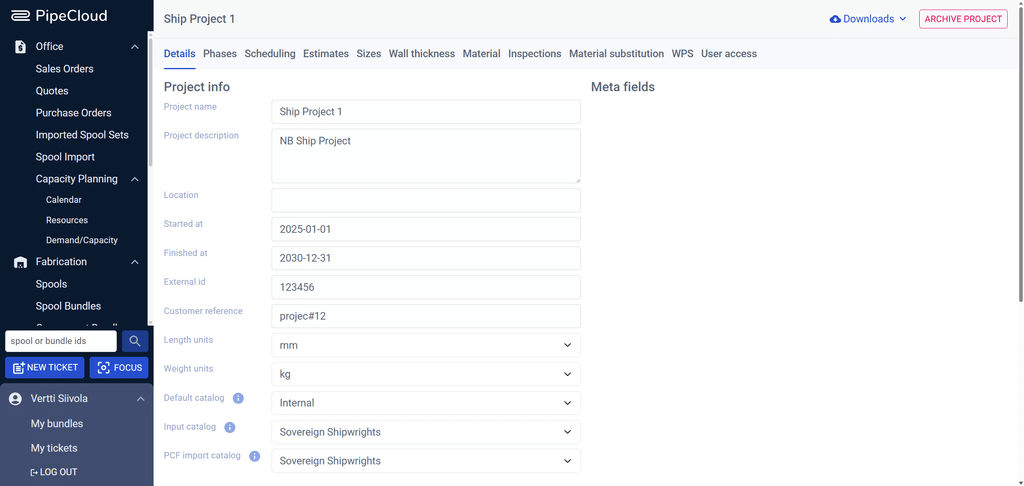
Welds and requirements are generated from fabrication data.
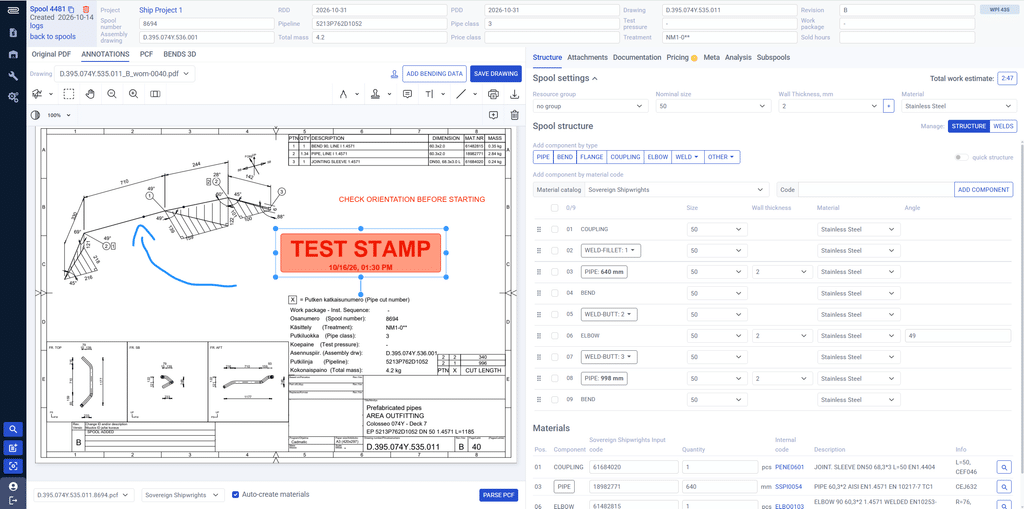
You can easily add weld annotations to the PDFs, if needed, using PipeCloud’s spool editor. The annotated welds will then be attached to the automatically generated weld map.
STEP 2
Welds move to production
Required welds stay connected to each spool.
STEP 3
Traceability is captured
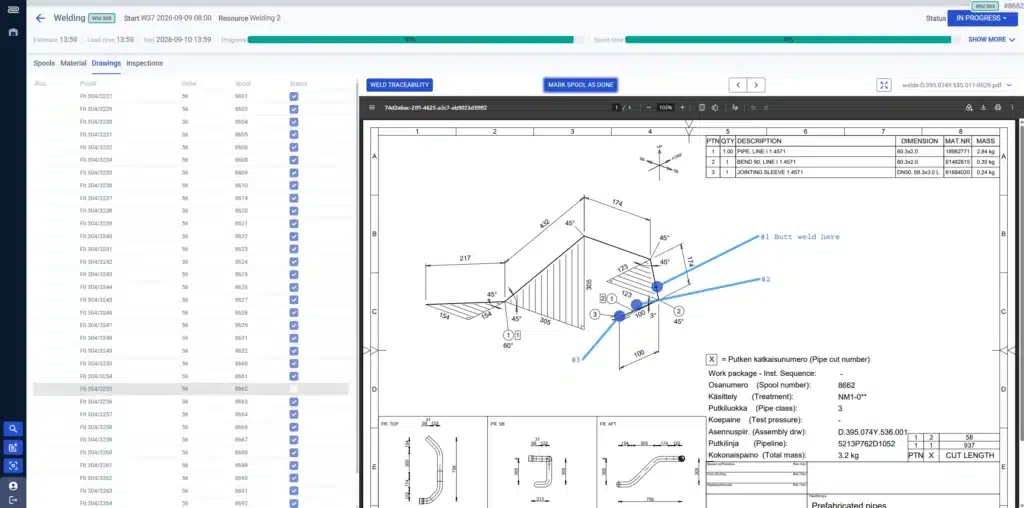
Welder, WPS, filler and material data are recorded during production.
STEP 4
QA stays connected
Inspection work and quality checks stay in the same workflow.
STEP 5
Records stay available
Weld history can be searched, filtered, reported and retrieved later.
What PipeCloud captures
The exact fields can be configured by workflow, but PipeCloud supports the core traceability information needed to connect welding records to fabrication.
| Weld & operator | Welder name · weld type · pipe size / station |
| Procedure & consumables | WPS · filler material / batch |
| Welding parameters | Welding time consumed |
| Material & QA | Component / material heat data · inspection work orders · customizable quality checks |
| Review & output | Review and filter weld data · PDF / Excel traceability reports |
Example: a defective filler batch is discovered.
The same logic can be used to investigate welds associated with a specific welder or recorded welding parameter.

A filler batch is flagged after fabrication or installation.

Filter the traceability data to locate welds that used the same batch.

Use the affected-weld list to focus inspection, customer reporting or follow-up.
Welding traceability in PipeCloud — track every weld with precision before issues escalate.
PipeCloud’s welding traceability tools give you full visibility into weld data that can be retrieved and reviewed anywhere, anytime. This helps you meet industry requirements, prevent costly rework, and avoid catastrophic failures when issues surface only after the pipes are already installed and in use.
Where PipeCloud fits
PipeCloud connects welding traceability to pipe fabrication planning and shop-floor execution. Inspection work orders and customizable quality checks can be incorporated into the welding workflow.
For WPS management and welding documentation, PipeCloud also integrates with WeldEye by Kemppi.
Why traceability matters
If a weld issue appears during inspection or after installation, the question is not only “what failed?” but “where else does the same risk exist?”
Digital traceability makes that history searchable and reportable without reconstructing it from paper logs and spreadsheets.
Weld quality is a critical factor in pipe prefabrication. If even a small percentage of welds fail inspection, especially during site installation, it can trigger full project audits, expensive rework, and serious delays. In regulated industries like naval shipbuilding, LNG, offshore, and nuclear, welding traceability isn’t just a best practice; it’s a requirement.
Without a digital system, identifying the root cause of a weld defect is slow and unreliable. Paper records and disconnected QA workflows make it difficult to trace problems back to a specific welder, filler batch, or material heat number — and nearly impossible to know where else the same risk may exist.
Everything tracked, in one place
PipeCloud provides your welders with a straightforward interface to record critical weld data during production. Key details tracked include:
- Welder name
- Weld type
- Pipe size
- WPS used
- Additional notes
- Filler material and batch
All data can be reviewed, filtered, and exported when needed. If problems are found during or after production, similar welds can be identified and flagged for inspection quickly.
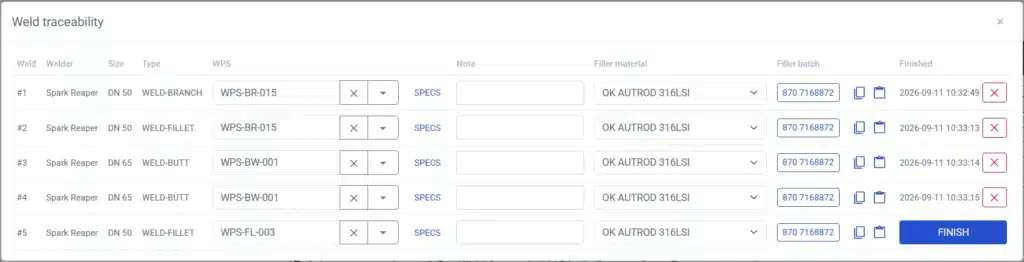
Clear input, ready-to-print output
Weld traceability reports are automatically generated in both PDF and Excel formats. These can be downloaded and printed immediately or retrieved later when the need arises, for example, during QA audits, customer reviews, or post-delivery troubleshooting. PipeCloud also integrates with WeldEye by Kemppi, making it easy to manage WPS data and synchronize traceability details across platforms.
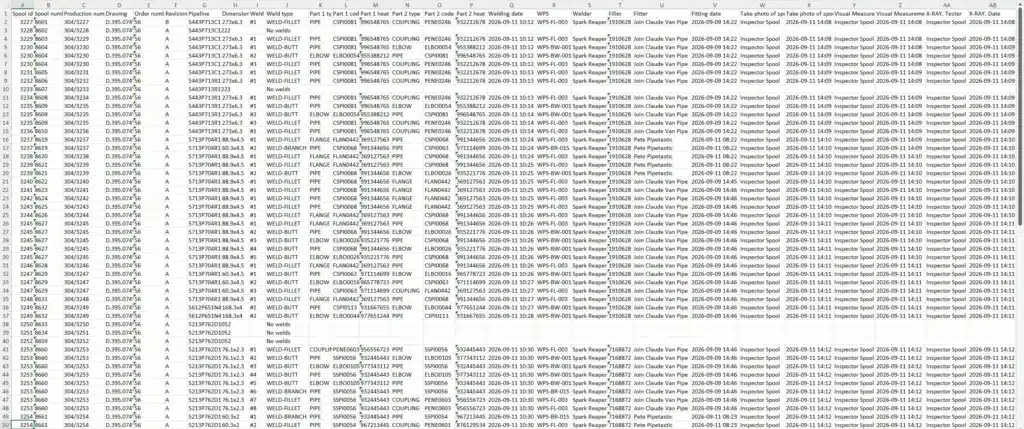
Catch issues early and act fast
For example, if a filler batch is flagged as defective after installation, PipeCloud enables you to instantly locate every weld that used the same batch and schedule proactive inspections. If the root cause turns out to be a specific welder or process setting, the same logic applies: No digging through paper logs or spreadsheets, and no guesswork.
Improve quality, reduce risk, stay compliant
Welding traceability in PipeCloud gives you clarity, control, and confidence in your production process. It helps you meet compliance standards, reduce rework, and prevent avoidable failures, whether they show up on the shop floor or months later on-site.
Ready to see it in action?
PipeCloud captures welding traceability as the work happens and keeps the weld history available for review and reporting. See it with your own spool data