Cut Nesting in PipeCloud — How It Works
The Challenge: A cutting job for one week can mean dozens of pipe pieces in several sizes and grades. Planning them on paper or in a spreadsheet takes time, and the plan rarely uses the remnants already lying in the rack. The result is more full tubes cut, more short offcuts thrown away, and material that cannot be traced back to its heat. In PipeCloud, each cutting bundle calculates its own nesting from the spool data, shows it visually, and keeps remnants and heat numbers in the loop.
How it works
- Cuts come from the spools. When spools are bundled for cutting, every pipe piece, with its material code and length, is collected into the bundle automatically.
- PipeCloud nests them. A best-fit algorithm places each piece where it leaves the smallest leftover, on full stock tubes (6000 mm by default) or on remnant tubes from earlier jobs that the operator selects.
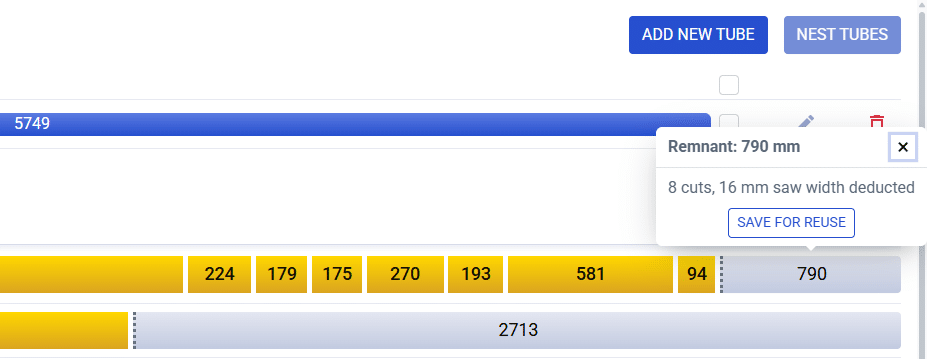
- The operator sees the plan. Each tube is drawn as a bar with its cuts and the remainder, saw width already deducted. A picking list shows how many tubes of each material to fetch.
- Heat numbers follow the material. The operator adds the heat number of the tube being cut, and it carries over to every piece cut from it.
- Useful remainders are saved. A remainder can be saved as a remnant tube with its heat number for future nesting, or thrown away, and the remnant stock stays current.
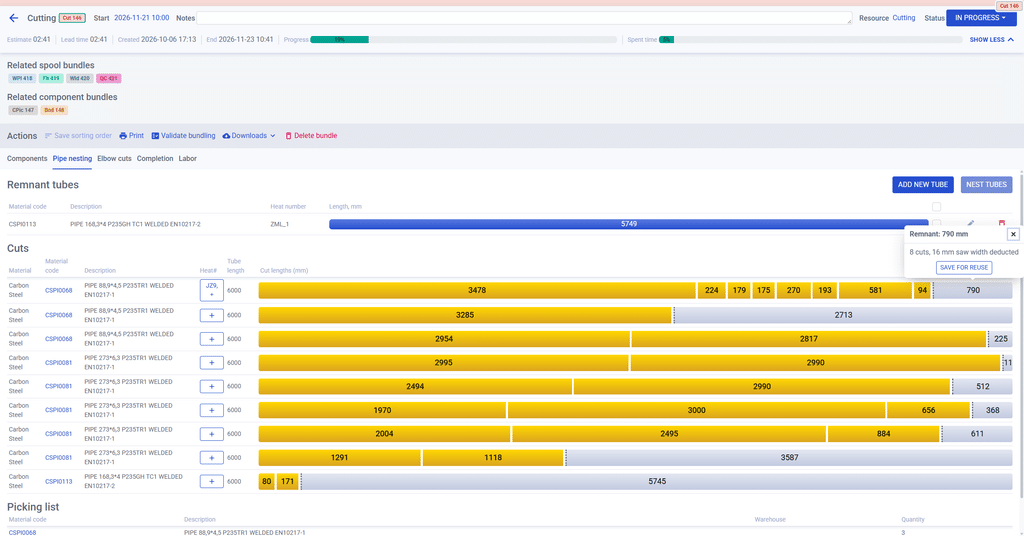
What the cut plan shows
| Remnant tubes | Stored remnants for the bundle’s materials, with material code, heat number and length · select which ones to nest onto |
| Cuts | One bar per tube: material, code, description, heat number, tube length, cut lengths and remainder |
| Remainders | Size after saw width · save for reuse, update or throw away |
| Picking list | Number of tubes per material code · warehouse location when warehouse management is enabled |
| Progress | Finished cuts are marked done and the bundle progress updates |
Remnants that actually get used
Most shops keep remnants. Fewer manage to use them. In PipeCloud, every saved remnant is a tube in the system with its material code, heat number and an index, for example ABC-2 for the second remnant from heat ABC. When a bundle needs that material, the operator ticks the remnants to use and runs the nesting again. PipeCloud then fits pieces onto those remnants before taking new tubes, so stock moves before it ages.
Every work phase gets its own view
Cut nesting is one example of how PipeCloud works. Spools are bundled by work phase, and each bundle type opens with the tools that phase needs:
- Cutting and plasma cutting: pipe nesting, elbow cuts, remnants and picking list.
- Component picking: components grouped by material or by spool, with collected quantities and heat numbers.
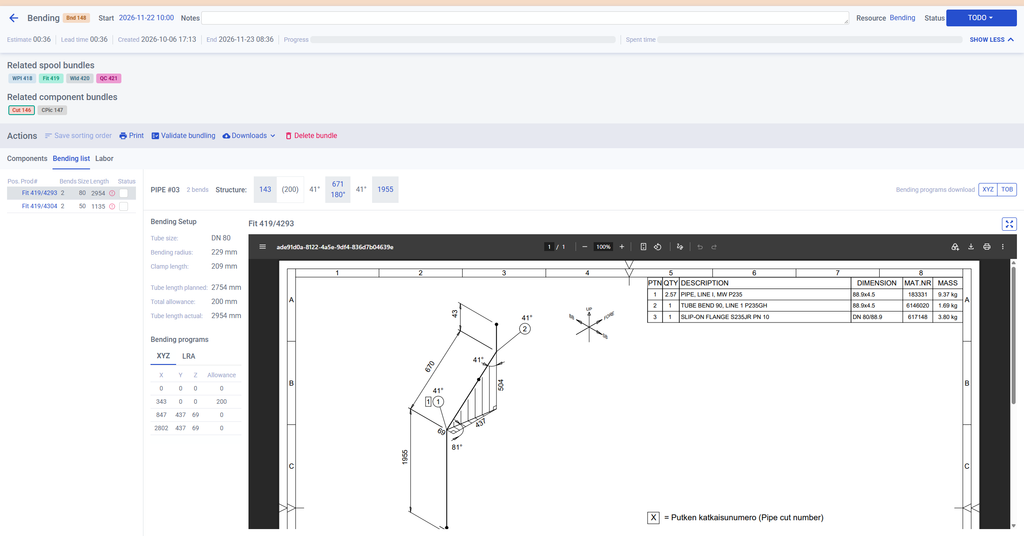
- Bending: each tube’s bending setup, structure and bending programs, ready to download for the bending machine.
- Fitting and welding: the spool drawing next to the spool list, with weld traceability and spool sign-off.
- Quality control: inspections and tests for the bundle’s spools.
All of these views share the same spool data, so a heat number recorded at the saw is still there when the weld is inspected.
Why it matters
Pipe is one of the largest material costs in prefabrication, and offcuts add up. Planning cuts by hand is slow and leaves remnants unused. Automatic nesting from spool data saves planning time, uses fewer new tubes, and gives the saw operator a clear plan. Recording heat numbers at the cut also keeps material traceability intact from the first operation.
Where PipeCloud fits
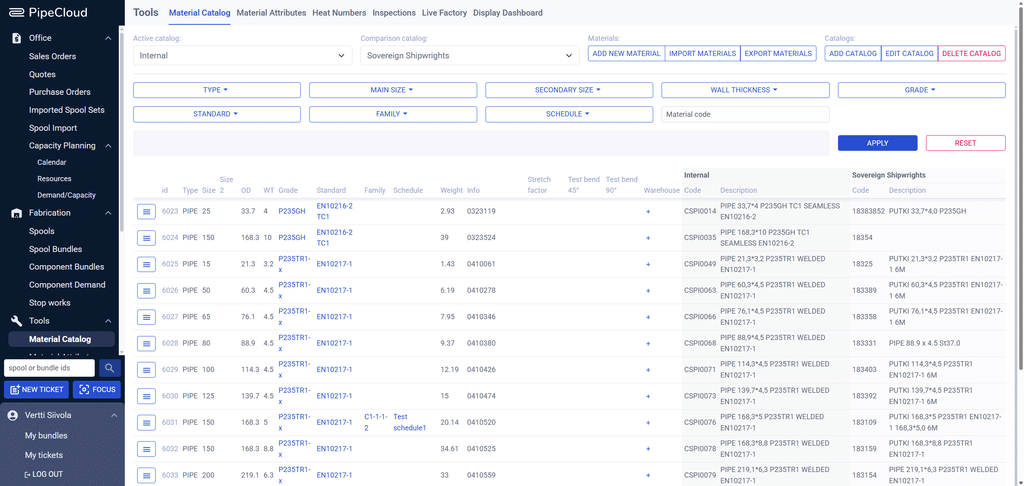
Cut nesting runs inside PipeCloud’s cutting bundles, which are created from the same spool data as the fitting, welding and QC bundles. It uses the material catalogue to group pieces by material, and the heat numbers recorded here feed welding traceability.
Ready to see it in action?
See your own spools nested onto your stock lengths and remnants.