Project Setup in PipeCloud
The Challenge: A shipyard project and an industrial plant project do not run the same way. One needs NDE and documentation, the other goes straight from welding to surface treatment. Time per weld differs, delivery buffers differ, and so do the material codes the customer uses. When these rules live in people’s heads or in spreadsheets, every new batch of spools is planned slightly differently. In PipeCloud, the project holds the rules and every spool inherits them.
How it works
- Create the project. Name, customer reference, external ID for your ERP, start and end dates, and units (mm or in, kg or lbs).
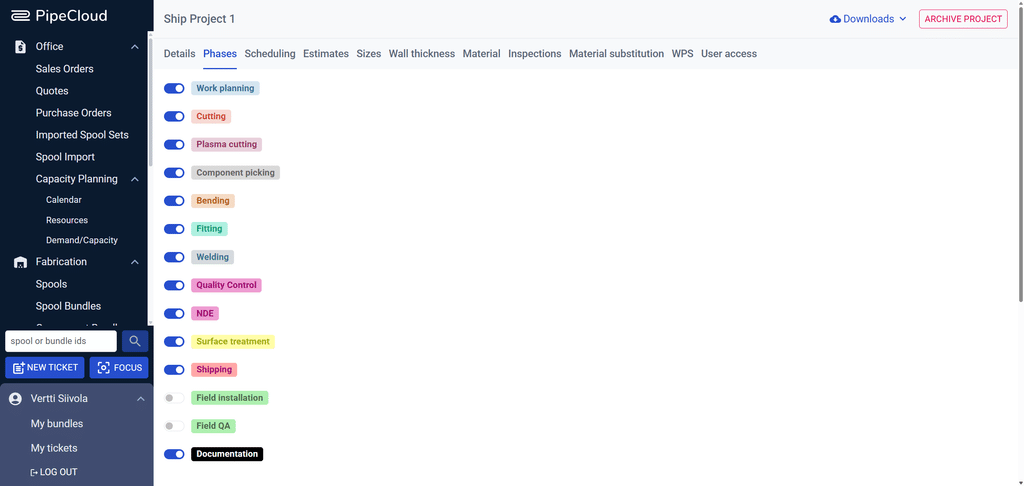
- Choose the work phases. Switch on the phases this project uses, from work planning and cutting to welding, NDE, shipping and field installation.
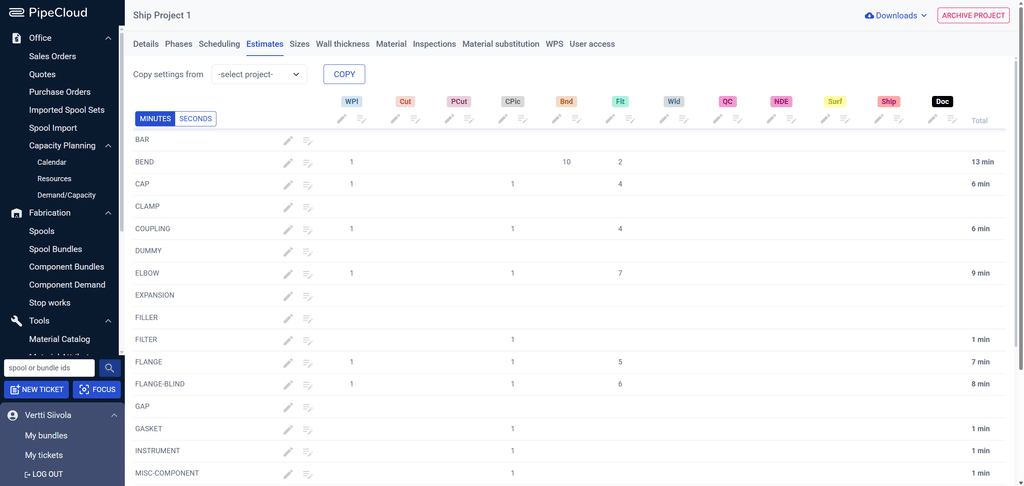
- Set time estimates. Enter the time each component type takes in each phase. PipeCloud adds them up into a work estimate for every spool and bundle.
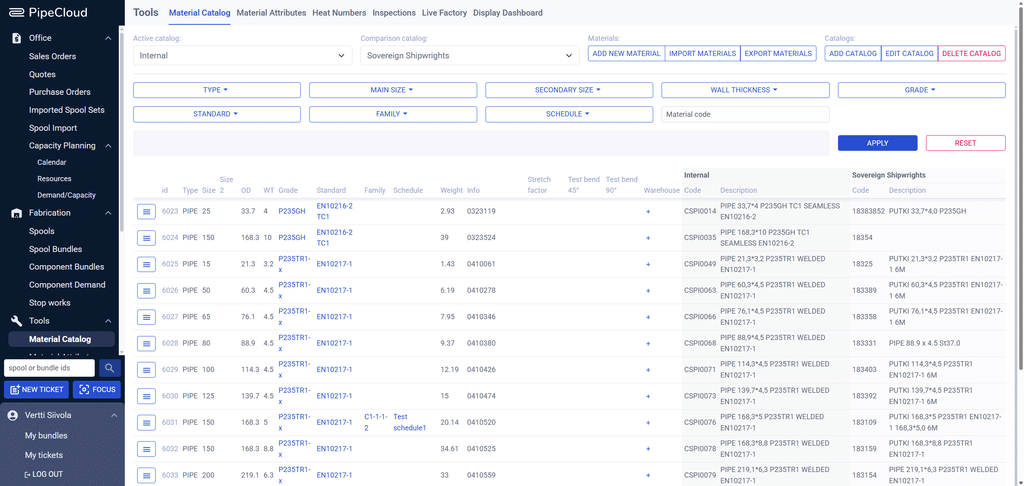
- Define scheduling and materials. Set how many days before the promised delivery date each phase should be scheduled, choose the material catalogues, and add material substitution rules.
- Import spools. Every spool imported into the project gets its phases, estimates, materials and inspections from these settings.
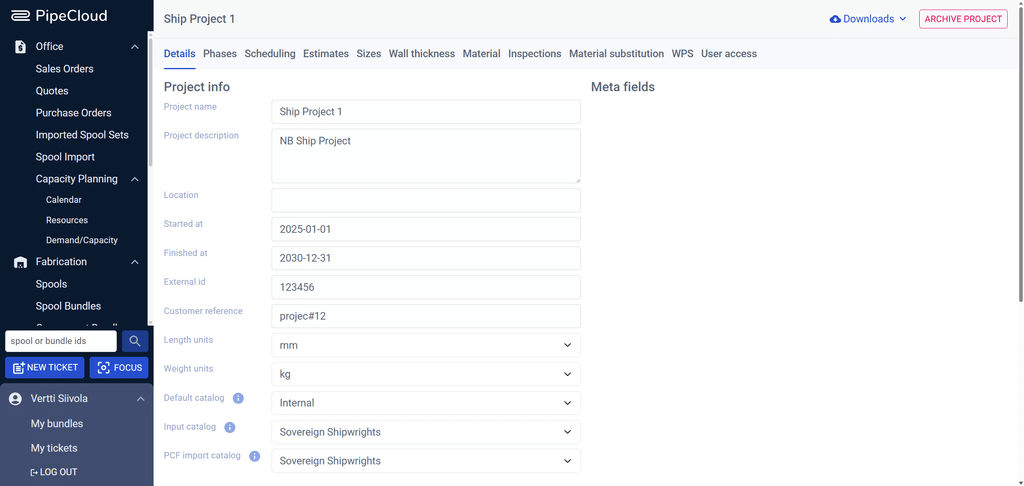
What a project defines
| Setting | What it controls |
|---|---|
| Details | Name, customer reference, external ID, dates, length and weight units |
| Phases | Which of the work phases (up to 14) the project’s spools go through |
| Estimates | Minutes or seconds per component type and phase, which drive spool and bundle estimates |
| Scheduling | Days before the promised delivery date at which each phase should be scheduled |
| Sizes and wall thickness | The sizes and wall thicknesses used in the project |
| Material | Default, input and PCF import catalogues · material substitution rules applied at import |
| Inspections | The inspections to be performed on the project’s spools |
| WPS | The welding procedures available for the project |
| User access | Which users can see and work on the project |
Phases that match how you build
Each project chooses its own route through the workshop. A typical ship project might use work planning, cutting, plasma cutting, component picking, bending, fitting, welding, QC, NDE, surface treatment, shipping and documentation. A smaller industrial job can switch half of them off. Bundles, capacity planning and progress tracking only show the phases that are switched on.
Estimates that build themselves
The estimates table holds the time each component type takes in each phase, for example 8 minutes of welding per butt weld or 4 minutes of fitting per elbow. When spools are imported, PipeCloud counts their components and welds and calculates the work estimate for every spool, bundle and resource. Capacity planning, lead times and shop floor performance figures all build on these numbers. Settings can be copied from another project, so a new project starts from proven values.
Focus on the projects that matter to you
Busy shops run several projects at once. With project focus, each user picks the projects they want to see, and lists across PipeCloud narrow down to them. Administrators control who has access to each project from a single view. When a project is finished, it is archived instead of deleted, and its spools and history remain available.
Why it matters
Consistent project setup is what makes planning trustworthy. If time estimates and phase routes are set once per project, every spool gets a realistic workload the moment it is imported, without anyone entering hours by hand. The same settings also make projects comparable, so you can see which estimates hold and which need adjusting.
Where PipeCloud fits
Projects sit at the top of PipeCloud’s structure. They connect spool import, material catalogues, work-phase bundles such as cut nesting, capacity planning and welding traceability.
Ready to see it in action?
See a project set up with your own phases and estimates, and watch imported spools get planned automatically.